FILESYSTEMS
Source repo: sdsc-summer-institute-2023 | Branch:
main| Last synced: 2026-04-24 10:27:17.425 UTC
More files, more problems: Advantages and limitations of different filesystems
The aim of this tutorial is to teach you about the advantages and limitations of different filesystems that you'll typically find available to you on an HPC system. If you are not already logged in to Expanse, please login to Expanse with your training account either via the Expanse User Portal or directly via SSH from your terminal application.
Once you're logged into the system, go ahead and try to clone this GitHub repository that contains the CIFAR-10 dataset, but this version of the dataset is all 60K raw images in jpeg format. However, please be prepared to cancel the download.
Command:
git clone https://github.com/YoongiKim/CIFAR-10-images.git
Output:
[train108@login02 ~]$ git clone https://github.com/YoongiKim/CIFAR-10-images.git
Cloning into 'CIFAR-10-images'...
remote: Enumerating objects: 60027, done.
remote: Total 60027 (delta 0), reused 0 (delta 0), pack-reused 60027
Receiving objects: 100% (60027/60027), 19.94 MiB | 26.94 MiB/s, done.
Resolving deltas: 100% (59990/59990), done.
Updating files: 4% (2723/60001)
If you have not done so already, please go ahead and cancel your git clone command. It'll take way too long for us all to download this version of the dataset. How long? This is the runtime measured to download it on on one of Expanse's login nodes.
Command:
time -p git clone https://github.com/YoongiKim/CIFAR-10-images.git
Output:
train108@login02 ~]$ time -p git clone https://github.com/YoongiKim/CIFAR-10-images.git
real 1724.19
user 1.01
sys 3.36
Why does it take so much time? What if you attempt to clone the dataset on your laptop? This is runtime to download the dataset on my laptop's local disk.
Command:
time -p git clone https://github.com/YoongiKim/CIFAR-10-images.git
Output:
mkandes@hardtack:~$ time -p git clone https://github.com/YoongiKim/CIFAR-10-images.git
Cloning into 'CIFAR-10-images'...
remote: Enumerating objects: 60027, done.
remote: Total 60027 (delta 0), reused 0 (delta 0), pack-reused 60027
Receiving objects: 100% (60027/60027), 19.94 MiB | 8.03 MiB/s, done.
Resolving deltas: 100% (59990/59990), done.
Updating files: 100% (60001/60001), done.
real 4.42
user 1.25
sys 1.17
mkandes@hardtack:~$
What is going on here? Why is there such a big difference in the time to download the same dataset. Well, not all filesystems are local. For example, your HOME directory on Expanse is not physically located on the login node. It is hosted remotely from another server using the Network File System (NFS), which is a distributed filesystem.

You can find which NFS server your training account's HOME directory is located on with the following command.
Command:
cat /etc/auto.home | grep "${USER}"
Output:
[train108@login02 ~]$ cat /etc/auto.home | grep "${USER}"
etrain108              -fstype=bind :/expanse/nfs/home4/etrain108
train108               -fstype=bind :/expanse/nfs/home1/train108
[train108@login02 ~]$
How much space is avaiable in your HOME directory? Can you answer this question by using the df command?
Command:
df -Th | grep "${USER}"
Output:
[train108@login02 ~]$ df -Th | grep "${USER}"
10.22.100.111:/pool1/home/train108                      nfs       210T   14T  196T   7% /home/train108
10.22.100.114:/pool4/home/etrain108                     nfs       205T   14T  191T   7% /home/etrain108
[train108@login02 ~]$
Nope. But it does allow you to see the different types of filesystems and total amount of storage space available on each filesystem.
Command:
df -Th
Output:
[train108@login02 ~]$ df -Th
Filesystem                                              Type      Size  Used Avail Use% Mounted on
devtmpfs                                                devtmpfs   63G  4.0K   63G   1% /dev
tmpfs                                                   tmpfs      63G   12M   63G   1% /run
/dev/sda2                                               ext4       32G   22G  7.9G  74% /
none                                                    tmpfs      63G  245M   63G   1% /dev/shm
tmpfs                                                   tmpfs      63G     0   63G   0% /sys/fs/cgroup
/dev/sda4                                               ext4       32G  1.5G   29G   5% /tmp
/dev/sda1                                               vfat      100M     0  100M   0% /boot/efi
/dev/sdb1                                               ext4      879G   44K  834G   1% /scratch
10.22.100.114:/pool4/home                               nfs       205T   14T  191T   7% /expanse/nfs/home4
10.22.100.111:/pool1/home                               nfs       210T   14T  196T   7% /expanse/nfs/home1
10.22.100.112:/pool2/home                               nfs       199T   18T  181T  10% /expanse/nfs/home2
ps-071.sdsc.edu:/ps-data/community-sw                   nfs       1.0T  301G  724G  30% /expanse/community
master:/home                                            nfs       140G   83G   58G  60% /expanse/nfs/mgr1/home
10.22.100.113:/pool3/home                               nfs       196T   14T  182T   7% /expanse/nfs/home3
10.21.0.21:6789,10.21.11.7:6789,10.21.11.8:6789:/       ceph      1.6T  972G  652G  60% /cm/shared
192.168.43.5:6789,192.168.43.6:6789:/                   ceph      3.3P   44T  3.3P   2% /expanse/ceph
10.22.101.123@o2ib:10.22.101.124@o2ib:/expanse/projects lustre     11P  3.8P  7.1P  35% /expanse/lustre/projects
10.22.101.123@o2ib:10.22.101.124@o2ib:/expanse/scratch  lustre     11P  3.8P  7.1P  35% /expanse/lustre/scratch
10.22.100.112:/pool2/home/erfan                         nfs       199T   18T  181T  10% /home/erfan
10.22.100.111:/pool1/home/geyan1                        nfs       210T   14T  196T   7% /home/geyan1
10.22.100.111:/pool1/home/lcmoore                       nfs       210T   14T  196T   7% /home/lcmoore
tmpfs                                                   tmpfs      13G     0   13G   0% /run/user/531940
tmpfs                                                   tmpfs      13G     0   13G   0% /run/user/532702
10.22.100.111:/pool1/home/kblighe1                      nfs       210T   14T  196T   7% /home/kblighe1
10.22.100.114:/pool4/home/ksheriff                      nfs       205T   14T  191T   7% /home/ksheriff
10.22.100.113:/pool3/home/aah217                        nfs       196T   14T  182T   7% /home/aah217
...
Here, you see there are a number of local filesystems like ext4 that are associated with storage devices phyically attached to the login node, while there are a number of distributed filesysmtes in addition to NFS like Ceph and/or Lustre.
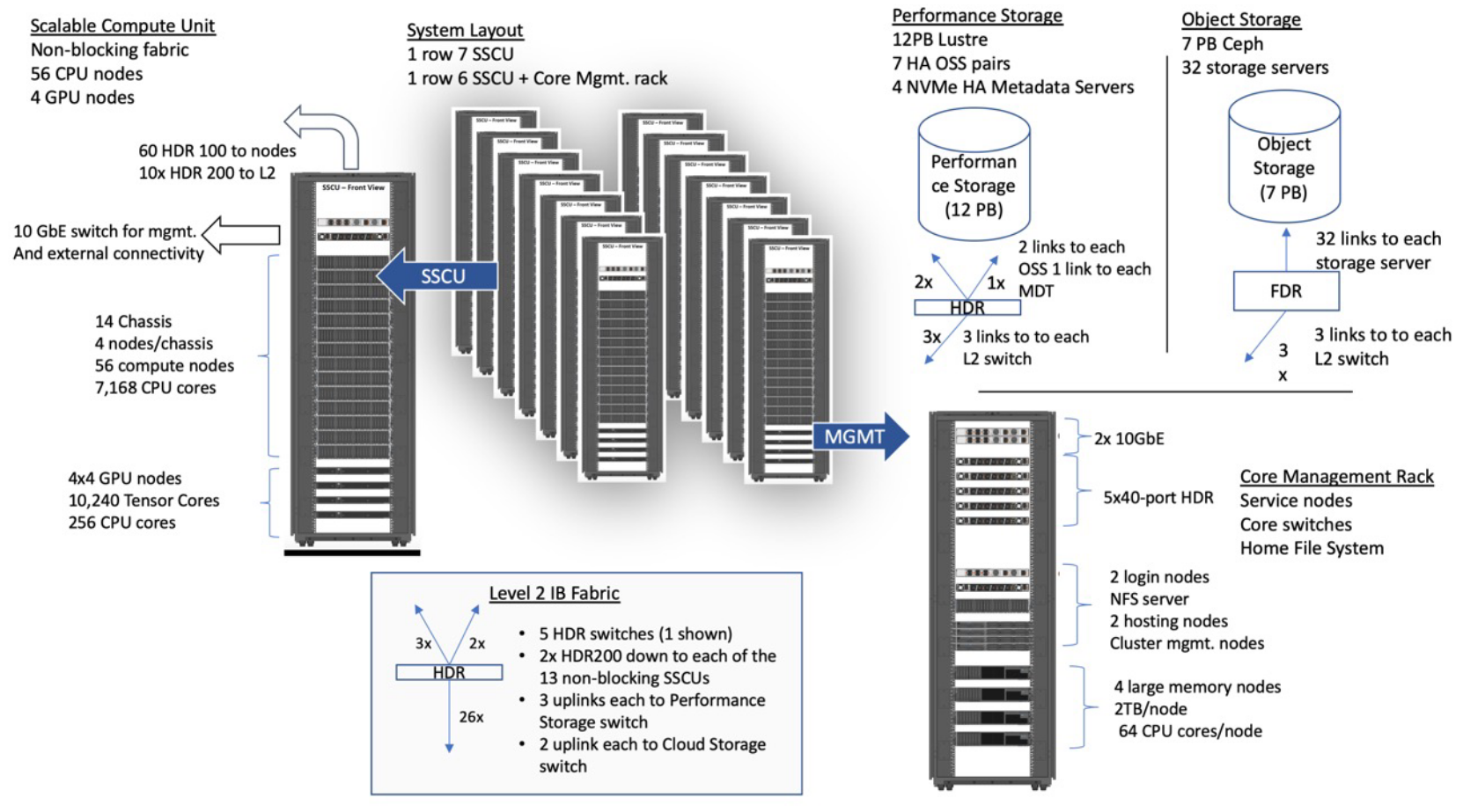
Do any of these filesystems solve the problem of speeding up the download of the CIFAR-10 dataset? Let's anaswer this question by starting up an interactive session on a shared compute node using the following command alias. Once the scheduler has assigned you to a shared compute node, your interactive session on the compute node will open.
Command:
srun-shared
Output:
[train108@login02 ~]$ srun-shared
[train108@exp-3-21 ~]$
Let's see if there are any local NVMe drives on the compute nodes.
Command:
df -Th | grep nvme
Output:
[train108@exp-3-21 ~]$ df -Th | grep nvme
/dev/nvme0n1p1                                          ext4      916G  792K  870G   1% /scratch
[train108@exp-3-21 ~]$
Let's go ahead and change your current working directy to the local /scratch disk and then download the CIFAR image repository.
Command:
cd /scratch/$USER/job_$SLURM_JOB_ID
Output:
cd /scratch/$USER/job_$SLURM_JOB_ID
[train108@exp-3-21 job_24468420]$
Command:
time -p git clone https://github.com/YoongiKim/CIFAR-10-images.git
Output:
[train108@exp-9-56 job_24472115]$ time -p git clone https://github.com/YoongiKim/CIFAR-10-images.git
Cloning into 'CIFAR-10-images'...
remote: Enumerating objects: 60027, done.
remote: Total 60027 (delta 0), reused 0 (delta 0), pack-reused 60027
Receiving objects: 100% (60027/60027), 19.94 MiB | 29.17 MiB/s, done.
Resolving deltas: 100% (59990/59990), done.
Updating files: 100% (60001/60001), done.
real 2.53
user 0.67
sys 0.98
[train108@exp-9-56 job_24472115]$
Wow! That was fast! And that's what the node local /scratch disk is good for --- high I/O and metadata operations. Now that we have a working copy of the raw image dataset, let's package it up the repository into a compressed zip archive file that will be easier to move to other filessytems on Expanse.
Command:
zip -r CIFAR-10-images.zip CIFAR-10-images
Output:
[train108@exp-9-56 job_24472115]$ zip -r CIFAR-10-images.zip CIFAR-10-images
...
adding: CIFAR-10-images/train/cat/2815.jpg (deflated 17%)
adding: CIFAR-10-images/train/cat/1910.jpg (deflated 18%)
adding: CIFAR-10-images/train/cat/2862.jpg (deflated 19%)
adding: CIFAR-10-images/train/cat/4829.jpg (deflated 18%)
adding: CIFAR-10-images/train/cat/3621.jpg (deflated 18%)
adding: CIFAR-10-images/train/cat/4036.jpg (deflated 18%)
adding: CIFAR-10-images/train/cat/4328.jpg (deflated 18%)
adding: CIFAR-10-images/train/cat/4564.jpg (deflated 22%)
[train108@exp-9-56 job_24472115]$
Check the size of the zip archive.
Command:
ls -lh
Output:
[train108@exp-9-56 job_24472115]$ ls -lh
total 78M
drwxr-xr-x 5 train108 gue998 4.0K Aug  7 20:42 CIFAR-10-images
-rw-r--r-- 1 train108 gue998  78M Aug  7 20:49 CIFAR-10-images.zip
[train108@exp-9-56 job_24472115]$
What is the size of the original image repository? Use the du command to check disk usage.
Command:
du -h CIFAR-10-images
Output:
[train108@exp-9-56 job_24472115]$ du -h CIFAR-10-images
4.0M	CIFAR-10-images/test/truck
4.0M	CIFAR-10-images/test/frog
4.0M	CIFAR-10-images/test/dog
4.0M	CIFAR-10-images/test/horse
4.0M	CIFAR-10-images/test/ship
4.0M	CIFAR-10-images/test/bird
4.0M	CIFAR-10-images/test/deer
4.0M	CIFAR-10-images/test/automobile
4.0M	CIFAR-10-images/test/airplane
4.0M	CIFAR-10-images/test/cat
40M	CIFAR-10-images/test
8.0K	CIFAR-10-images/.git/logs/refs/heads
8.0K	CIFAR-10-images/.git/logs/refs/remotes/origin
12K	CIFAR-10-images/.git/logs/refs/remotes
24K	CIFAR-10-images/.git/logs/refs
32K	CIFAR-10-images/.git/logs
4.0K	CIFAR-10-images/.git/objects/info
22M	CIFAR-10-images/.git/objects/pack
22M	CIFAR-10-images/.git/objects
64K	CIFAR-10-images/.git/hooks
8.0K	CIFAR-10-images/.git/info
4.0K	CIFAR-10-images/.git/branches
8.0K	CIFAR-10-images/.git/refs/heads
8.0K	CIFAR-10-images/.git/refs/remotes/origin
12K	CIFAR-10-images/.git/refs/remotes
4.0K	CIFAR-10-images/.git/refs/tags
28K	CIFAR-10-images/.git/refs
27M	CIFAR-10-images/.git
20M	CIFAR-10-images/train/truck
20M	CIFAR-10-images/train/frog
20M	CIFAR-10-images/train/dog
20M	CIFAR-10-images/train/horse
20M	CIFAR-10-images/train/ship
20M	CIFAR-10-images/train/bird
20M	CIFAR-10-images/train/deer
20M	CIFAR-10-images/train/automobile
20M	CIFAR-10-images/train/airplane
20M	CIFAR-10-images/train/cat
197M	CIFAR-10-images/train
263M	CIFAR-10-images
[train108@exp-9-56 job_24472115]$
Remove the original repository from the node local /scratch disk.
Command:
rm -rf CIFAR-10-images/
Output
[train108@exp-9-56 job_24472115]$ rm -rf CIFAR-10-images
[train108@exp-9-56 job_24472115]$
Unzip only the test dogs.
Command:
unzip CIFAR-10-images.zip 'CIFAR-10-images/test/dog/*'
Output:
[train108@exp-9-56 job_24472115]$ unzip CIFAR-10-images.zip 'CIFAR-10-images/test/dog/*'
Archive:  CIFAR-10-images.zip
creating: CIFAR-10-images/test/dog/
inflating: CIFAR-10-images/test/dog/0235.jpg
inflating: CIFAR-10-images/test/dog/0857.jpg
inflating: CIFAR-10-images/test/dog/0878.jpg
inflating: CIFAR-10-images/test/dog/0779.jpg
inflating: CIFAR-10-images/test/dog/0137.jpg
...
inflating: CIFAR-10-images/test/dog/0320.jpg
inflating: CIFAR-10-images/test/dog/0395.jpg
inflating: CIFAR-10-images/test/dog/0980.jpg
[train108@exp-9-56 job_24472115]$
Copy the zip archive back to your HOME (NFS) directory.
Command:
cp CIFAR-10-images.zip ~/
Output:
[train108@exp-9-56 job_24472115]$ cp CIFAR-10-images.zip ~/
[train108@exp-9-56 job_24472115]$
And then check to make sure you've got the copy in your HOME directory.
Command 1:
cd ~/
Command 2:
ls -lh
Output:
[train108@exp-9-56 job_24472115]$ cd ~/
[train108@exp-9-56 ~]$ ls -lh
total 373M
drwxr-xr-x 2 train108 gue998   10 Jun  4  2009 cifar-10-batches-py
-rw-r--r-- 1 train108 gue998  78M Aug  7 20:55 CIFAR-10-images.zip
-rw-r--r-- 1 train108 gue998   57 Aug  7 10:35 cifar-10-python.md5
-rw-r--r-- 1 train108 gue998   86 Aug  7 11:10 cifar-10-python.sha256
-rw-r--r-- 1 train108 gue998 163M Jun  4  2009 cifar-10-python.tar.gz
-rw-r--r-- 1 train108 gue998 163M Aug  7 11:05 cifar-10-python.tgz
lrwxrwxrwx 1 train108 gue998   32 Aug  6 14:45 data -> /cm/shared/examples/sdsc/si/2023
drwx------ 2 train108 gue998    2 Aug  7 15:42 Downloads
[train108@exp-9-56 ~]$
If so, then you can go ahead and exit your interactive job session.
Command:
exit
Output:
[train108@exp-9-56 ~]$ exit
exit
[train108@login01 ~]$
Finally, we're going to use some of the tools we've learned about to create a tarball of the CIFAR-10 raw mage dataset as part of a batch job. Start by downloading the batch job script usng wget.
Command:
wget https://raw.githubusercontent.com/sdsc/sdsc-summer-institute-2023/main/3.2_data_management/download-cifar-images.sh
Output:
[train108@login01 ~]$ wget https://raw.githubusercontent.com/sdsc/sdsc-summer-institute-2023/main/3.2_data_management/download-cifar-images.sh
--2023-08-07 21:11:26--  https://raw.githubusercontent.com/sdsc/sdsc-summer-institute-2023/main/3.2_data_management/download-cifar-images.sh
Resolving raw.githubusercontent.com (raw.githubusercontent.com)... 185.199.111.133, 185.199.110.133, 185.199.109.133, ...
Connecting to raw.githubusercontent.com (raw.githubusercontent.com)|185.199.111.133|:443... connected.
HTTP request sent, awaiting response... 200 OK
Length: 780 [text/plain]
Saving to: ‘download-cifar-images.sh’

download-cifar-imag 100%[===================>]     780  --.-KB/s    in 0s

2023-08-07 21:11:27 (74.6 MB/s) - ‘download-cifar-images.sh’ saved [780/780]

[train108@login01 ~]$
And then inspect the job script using cat.
Command:
cat download-cifar-images.sh
Output:
[train108@login01 ~]$ cat download-cifar-images.sh
#!/usr/bin/env bash

#SBATCH --job-name=download-cifar-images
#SBATCH --account=gue998
#SBATCH --reservation=hpcds23cpu
#SBATCH --partition=shared
#SBATCH --nodes=1
#SBATCH --ntasks-per-node=1
#SBATCH --cpus-per-task=1
#SBATCH --mem=2G
#SBATCH --time=00:05:00
#SBATCH --output=%x.o%j.%N

declare -xr LUSTRE_PROJECTS_DIR="/expanse/lustre/projects/${SLURM_JOB_ACCOUNT}/${USER}"
declare -xr LUSTRE_SCRATCH_DIR="/expanse/lustre/scratch/${USER}/temp_project"

declare -xr LOCAL_SCRATCH_DIR="/scratch/${USER}/job_${SLURM_JOB_ID}"

module reset
module list
printenv

cd "${LOCAL_SCRATCH_DIR}"
git clone https://github.com/YoongiKim/CIFAR-10-images.git
tar -czf CIFAR-10-images.tar.gz CIFAR-10-images/
cp CIFAR-10-images.tar.gz "${HOME}"
cp CIFAR-10-images.tar.gz "${LUSTRE_SCRATCH_DIR}"
[train108@login01 ~]$
Submit the job to the scheduler.
Command:
sbatch download-cifar-images.sh
Output:
[train108@login01 ~]$ sbatch download-cifar-images.sh
Submitted batch job 24472214
[train108@login01 ~]$
Check the status of the job.
Command:
squeue -u $USER
Output:
[train108@login01 ~]$ squeue -u $USER
             JOBID PARTITION     NAME     USER ST       TIME  NODES NODELIST(REASON)
          24472214    shared download train108 PD       0:00      1 (Priority)
[train108@login01 ~]$
Check that the new tarball is located in your HOME directory.
[xdtr108@login01 ~]$ squeue -u $USER
             JOBID PARTITION     NAME     USER ST       TIME  NODES NODELIST(REASON)
[xdtr108@login01 ~]$ ls -lh
total 415M
drwxr-xr-x 2 xdtr108 uic157   10 Jun  4  2009 cifar-10-batches-py
drwxr-xr-x 3 xdtr108 uic157    3 Jul 26 09:17 CIFAR-10-images
-rw-r--r-- 1 xdtr108 uic157  42M Jul 26 09:41 CIFAR-10-images.tar.gz
-rw-r--r-- 1 xdtr108 uic157  78M Jul 26 09:15 CIFAR-10-images.zip
-rw-r--r-- 1 xdtr108 uic157   57 Jul 26 08:53 cifar-10-python.md5
-rw-r--r-- 1 xdtr108 uic157   86 Jul 26 08:55 cifar-10-python.sha256
-rw-r--r-- 1 xdtr108 uic157 163M Jun  4  2009 cifar-10-python.tar.gz
-rw-r--r-- 1 xdtr108 uic157 163M Jul 26 08:54 cifar-10-python.tgz
-rw-r--r-- 1 xdtr108 uic157 6.3K Jul 26 09:41 download-cifar-images.o14751956.exp-9-55
-rw-r--r-- 1 xdtr108 uic157  746 Jul 26 09:41 download-cifar-images.sh
Previous - CIFAR through the tubes: Downloading data from the internet