Source repo: sdsc-summer-institute-2022 | Branch:
main| Last synced: 2026-04-24 10:27:17.425 UTC
Data Management: Or how (not) to handle your data in an HPC environment
- Before we begin: A few disclaimers
- Easy access: Setting up SSH keys
- CIFAR through the tubes: Downloading data from the internet
- More files, more problems: Advantages and limitations of different filesystems
- Going parallel: Lustre basics
- Back that data up: Data transfer tools
More files, more problems: Advantages and limitations of different filesystems
git clone https://github.com/YoongiKim/CIFAR-10-images.git
Cloning into 'CIFAR-10-images'...
remote: Enumerating objects: 60027, done.
remote: Total 60027 (delta 0), reused 0 (delta 0), pack-reused 60027
Receiving objects: 100% (60027/60027), 19.94 MiB | 26.94 MiB/s, done.
Resolving deltas: 100% (59990/59990), done.
Updating files: 4% (2723/60001)
Runtime to download on one of Expanse's login nodes.
real 1724.19
user 1.01
sys 3.36
Runtime to download on my laptop's local disk.
real 1.87
user 0.79
sys 1.08

- https://en.wikipedia.org/wiki/Clustered_file_system
- https://en.wikipedia.org/wiki/Network_File_System
cat /etc/auto.home | grep "${USER}"
xdtr108 -fstype=bind :/expanse/nfs/home3/xdtr108
cat: /etc/auto.home: No such file or directory
df -Th | grep "${USER}"
10.22.100.113:/pool3/home/xdtr108 nfs 194T 9.3T 185T 5% /home/xdtr108
$ df -Th
Filesystem     Type      Size  Used Avail Use% Mounted on
udev           devtmpfs   16G     0   16G   0% /dev
tmpfs          tmpfs     3.2G  2.3M  3.2G   1% /run
/dev/nvme0n1p3 ext4      1.9T  217G  1.6T  13% /
tmpfs          tmpfs      16G  172K   16G   1% /dev/shm
tmpfs          tmpfs     5.0M  4.0K  5.0M   1% /run/lock
tmpfs          tmpfs      16G     0   16G   0% /sys/fs/cgroup
/dev/loop0     squashfs  128K  128K     0 100% /snap/bare/5
/dev/loop2     squashfs  134M  134M     0 100% /snap/chromium/2033
/dev/loop3     squashfs  114M  114M     0 100% /snap/core/13425
/dev/loop1     squashfs  134M  134M     0 100% /snap/chromium/2020
/dev/loop6     squashfs  219M  219M     0 100% /snap/gnome-3-34-1804/77
/dev/loop8     squashfs   62M   62M     0 100% /snap/core20/1518
/dev/loop11    squashfs  401M  401M     0 100% /snap/gnome-3-38-2004/112
/dev/loop7     squashfs  255M  255M     0 100% /snap/gnome-3-38-2004/106
/dev/loop9     squashfs   56M   56M     0 100% /snap/core18/2538
/dev/loop4     squashfs  114M  114M     0 100% /snap/core/13308
/dev/loop5     squashfs  243M  243M     0 100% /snap/gnome-3-34-1804/27
/dev/loop14    squashfs   55M   55M     0 100% /snap/snap-store/558
/dev/loop10    squashfs   56M   56M     0 100% /snap/core18/2409
/dev/loop12    squashfs   82M   82M     0 100% /snap/gtk-common-themes/1534
/dev/loop13    squashfs   92M   92M     0 100% /snap/gtk-common-themes/1535
/dev/loop15    squashfs   62M   62M     0 100% /snap/core20/1581
/dev/nvme0n1p1 vfat      811M  101M  711M  13% /boot/efi
tmpfs          tmpfs     3.2G  2.4M  3.2G   1% /run/user/1001
Let's start an interactive job.
srun --job-name=interactive --account=crl155 --partition=shared --reservation=SI2022DAY1 --nodes=1 --ntasks-per-node=1 --cpus-per-task=1 --mem=2G --time=00:30:00 --wait=0 --pty /bin/bash
Once the scheduler has assigned you compute resources, your interactive session on the compute node will open.
srun: job 14751425 queued and waiting for resources
srun: job 14751425 has been allocated resources
[xdtr108@exp-1-17 ~]$
Let's see if there are any other NVMe drives on the compute nodes.
[xdtr108@exp-1-17 ~]$ df -Th | grep nvme
/dev/nvme0n1p1                                          ext4      916G   67G  804G   8% /scratch
What other filesystems are available?
df -Th | less
Filesystem                                              Type      Size  Used Avail Use% Mounted on
devtmpfs                                                devtmpfs  126G     0  126G   0% /dev
tmpfs                                                   tmpfs     126G  2.7M  126G   1% /run
/dev/sda2                                               ext4       63G   11G   49G  19% /
none                                                    tmpfs     126G  1.7M  126G   1% /dev/shm
tmpfs                                                   tmpfs     126G     0  126G   0% /sys/fs/cgroup
/dev/sda3                                               ext4       20G  600M   18G   4% /tmp
/dev/sda1                                               vfat      100M     0  100M   0% /boot/efi
/dev/nvme0n1p1                                          ext4      916G  3.2G  867G   1% /scratch
10.22.100.114:/pool4/home                               nfs       206T  9.3T  197T   5% /expanse/nfs/home4
10.22.100.113:/pool3/home                               nfs       194T  9.3T  185T   5% /expanse/nfs/home3
10.22.100.112:/pool2/home                               nfs       202T   11T  192T   6% /expanse/nfs/home2
ps-071.sdsc.edu:/ps-data/community-sw                   nfs       1.0T  300G  725G  30% /expanse/community
10.21.0.21:6789,10.21.11.7:6789,10.21.11.8:6789:/       ceph      1.7T  825G  832G  50% /cm/shared
192.168.43.5:6789,192.168.43.6:6789:/                   ceph      3.5P  344G  3.5P   1% /expanse/ceph
10.22.101.123@o2ib:10.22.101.124@o2ib:/expanse/scratch  lustre    9.8P  2.3P  7.6P  24% /expanse/lustre/scratch
10.22.101.123@o2ib:10.22.101.124@o2ib:/expanse/projects lustre    9.8P  2.3P  7.6P  24% /expanse/lustre/projects
10.22.100.113:/pool3/alt1                               nfs       194T  9.1T  185T   5% /expanse/nfs/home1
master:/home                                            nfs       140G   90G   50G  65% /expanse/nfs/mgr1/home
10.22.101.100:/itasser/vol                              nfs        53T   51T  2.6T  96% /expanse/projects/itasser
tmpfs                                                   tmpfs      26G     0   26G   0% /run/user/515496
10.22.100.112:/pool2/home/apike                         nfs       202T   11T  192T   6% /home/apike
10.22.100.112:/pool2/home/fyu9                          nfs       202T   11T  192T   6% /home/fyu9
...
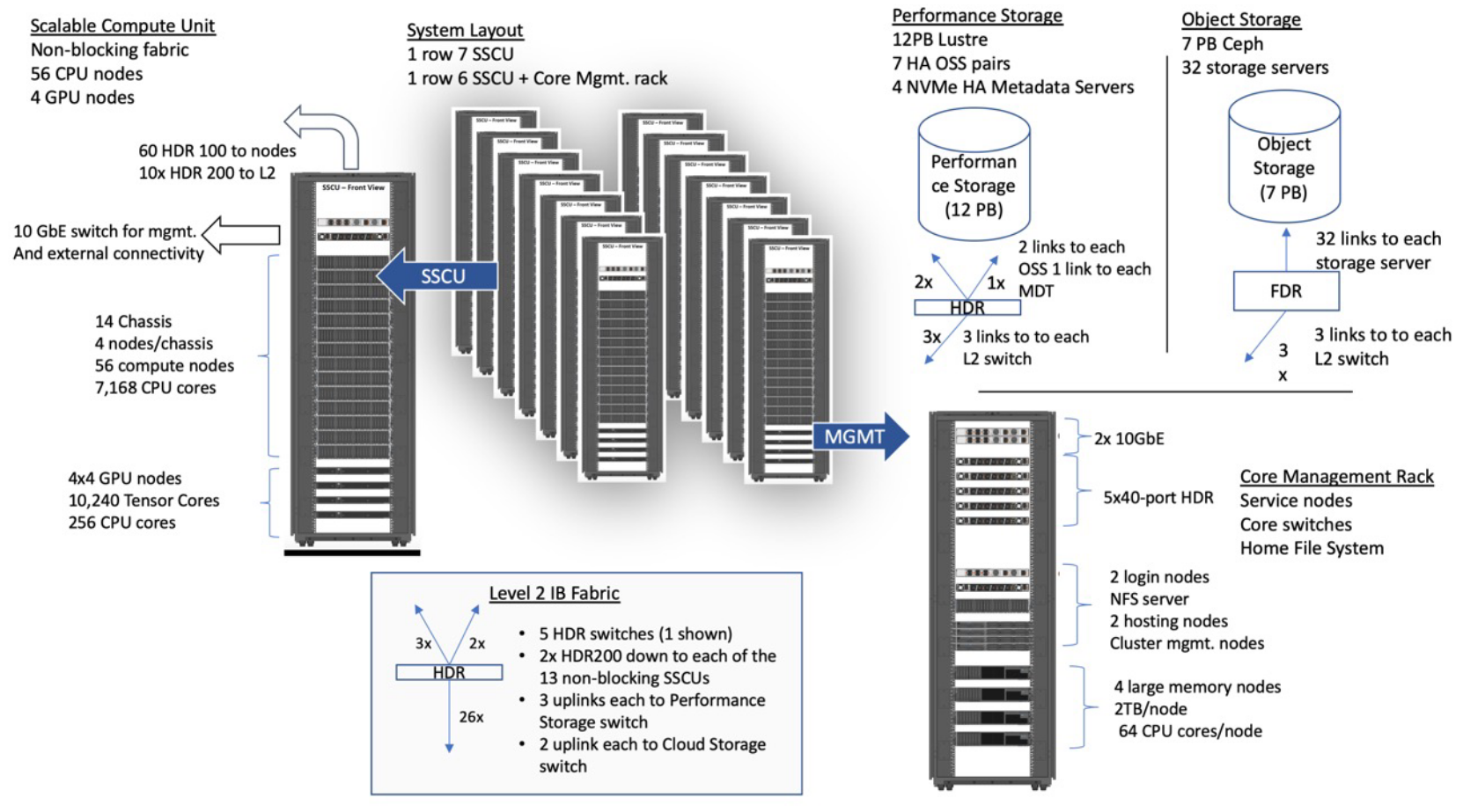
Change to the local /scratch disk and download the CIFAR image repository.
[xdtr108@exp-1-17 job_14751425]$ time -p git clone https://github.com/YoongiKim/CIFAR-10-images.git
Cloning into 'CIFAR-10-images'...
remote: Enumerating objects: 60027, done.
remote: Total 60027 (delta 0), reused 0 (delta 0), pack-reused 60027
Receiving objects: 100% (60027/60027), 19.94 MiB | 3.97 MiB/s, done.
Resolving deltas: 100% (59990/59990), done.
real 6.94
user 0.75
sys 0.97
[xdtr108@exp-1-17 job_14751425]$ ls -lh
total 4.0K
drwxr-xr-x 5 xdtr108 uic157 4.0K Jul 26 09:11 CIFAR-10-images
Create a zip archive of the CIFAR image repository.
zip -r CIFAR-10-images.zip CIFAR-10-images
Check the size of the zip archive.
[xdtr108@exp-1-17 job_14751425]$ ls -lh
total 78M
drwxr-xr-x 5 xdtr108 uic157 4.0K Jul 26 09:11 CIFAR-10-images
-rw-r--r-- 1 xdtr108 uic157  78M Jul 26 09:11 CIFAR-10-images.zip
What is the size of the original image repository?
[xdtr108@exp-1-17 job_14751425]$ du -h CIFAR-10-images
60K	CIFAR-10-images/.git/hooks
4.0K	CIFAR-10-images/.git/branches
8.0K	CIFAR-10-images/.git/refs/remotes/origin
...
4.0M	CIFAR-10-images/test/frog
4.0M	CIFAR-10-images/test/dog
4.0M	CIFAR-10-images/test/ship
...
20M	CIFAR-10-images/train/frog
20M	CIFAR-10-images/train/dog
20M	CIFAR-10-images/train/ship
...
197M	CIFAR-10-images/train
263M	CIFAR-10-images
[xdtr108@exp-1-17 job_14751425]$
Remove the original repository from the local /scratch disk.
rm -rf CIFAR-10-images/
Unzip only the test dogs.
unzip CIFAR-10-images.zip 'CIFAR-10-images/test/dog/*'
Copy the zip archive back to your HOME (NFS) directory.
[xdtr108@exp-1-17 job_14751425]$ cp CIFAR-10-images.zip ~/
[xdtr108@exp-1-17 job_14751425]$ cd ~/
[xdtr108@exp-1-17 ~]$ ls -lh
total 373M
drwxr-xr-x 2 xdtr108 uic157   10 Jun  4  2009 cifar-10-batches-py
drwxr-xr-x 4 xdtr108 uic157    5 Jul 26 09:01 CIFAR-10-images
-rw-r--r-- 1 xdtr108 uic157  78M Jul 26 09:15 CIFAR-10-images.zip
-rw-r--r-- 1 xdtr108 uic157   57 Jul 26 08:53 cifar-10-python.md5
-rw-r--r-- 1 xdtr108 uic157   86 Jul 26 08:55 cifar-10-python.sha256
-rw-r--r-- 1 xdtr108 uic157 163M Jun  4  2009 cifar-10-python.tar.gz
-rw-r--r-- 1 xdtr108 uic157 163M Jul 26 08:54 cifar-10-python.tgz
[xdtr108@exp-1-17 ~]$ exit
exit
[xdtr108@login01 ~]$
Download the batch job script. It provides an example of how to use the local scratch disk in a job.
wget https://raw.githubusercontent.com/sdsc/sdsc-summer-institute-2022/main/2.5_data_management/download-cifar-images.sh
#!/usr/bin/env bash

#SBATCH --job-name=download-cifar-images
#SBATCH --account=sds184
#SBATCH --partition=shared
#SBATCH --nodes=1
#SBATCH --ntasks-per-node=1
#SBATCH --cpus-per-task=1
#SBATCH --mem=2G
#SBATCH --time=00:05:00
#SBATCH --output=%x.o%j.%N

declare -xr LUSTRE_PROJECTS_DIR="/expanse/lustre/projects/${SLURM_JOB_ACCOUNT}/${USER}"
declare -xr LUSTRE_SCRATCH_DIR="/expanse/lustre/scratch/${USER}/temp_project"

declare -xr LOCAL_SCRATCH_DIR="/scratch/${USER}/job_${SLURM_JOB_ID}"

module purge
module list
printenv

cd "${LOCAL_SCRATCH_DIR}"
git clone https://github.com/YoongiKim/CIFAR-10-images.git
tar -czf CIFAR-10-images.tar.gz CIFAR-10-images/
cp CIFAR-10-images.tar.gz "${HOME}"
cp CIFAR-10-images.tar.gz "${LUSTRE_SCRATCH_DIR}"
Submit the job to the scheduler.
[xdtr108@login01 ~]$ sbatch download-cifar-images.sh
Submitted batch job 14751956
[xdtr108@login01 ~]$ squeue -u $USER
             JOBID PARTITION     NAME     USER ST       TIME  NODES NODELIST(REASON)
          14751956     shared download  xdtr108  R       0:02      1 exp-9-55
Check that the new tarball is located in your HOME directory.
[xdtr108@login01 ~]$ squeue -u $USER
             JOBID PARTITION     NAME     USER ST       TIME  NODES NODELIST(REASON)
[xdtr108@login01 ~]$ ls -lh
total 415M
drwxr-xr-x 2 xdtr108 uic157   10 Jun  4  2009 cifar-10-batches-py
drwxr-xr-x 3 xdtr108 uic157    3 Jul 26 09:17 CIFAR-10-images
-rw-r--r-- 1 xdtr108 uic157  42M Jul 26 09:41 CIFAR-10-images.tar.gz
-rw-r--r-- 1 xdtr108 uic157  78M Jul 26 09:15 CIFAR-10-images.zip
-rw-r--r-- 1 xdtr108 uic157   57 Jul 26 08:53 cifar-10-python.md5
-rw-r--r-- 1 xdtr108 uic157   86 Jul 26 08:55 cifar-10-python.sha256
-rw-r--r-- 1 xdtr108 uic157 163M Jun  4  2009 cifar-10-python.tar.gz
-rw-r--r-- 1 xdtr108 uic157 163M Jul 26 08:54 cifar-10-python.tgz
-rw-r--r-- 1 xdtr108 uic157 6.3K Jul 26 09:41 download-cifar-images.o14751956.exp-9-55
-rw-r--r-- 1 xdtr108 uic157  746 Jul 26 09:41 download-cifar-images.sh